StajNano makes the Nano Cortex a complete live multi-effects unit — on its own.
Big, high-contrast tiles for the effects, amp and cab, presets, tempo and tuner, and Song mode, which loads a whole song in one touch. Your phone or tablet next to it, an inexpensive Bluetooth MIDI foot controller under your foot, and the Nano Cortex is a complete stage rig.
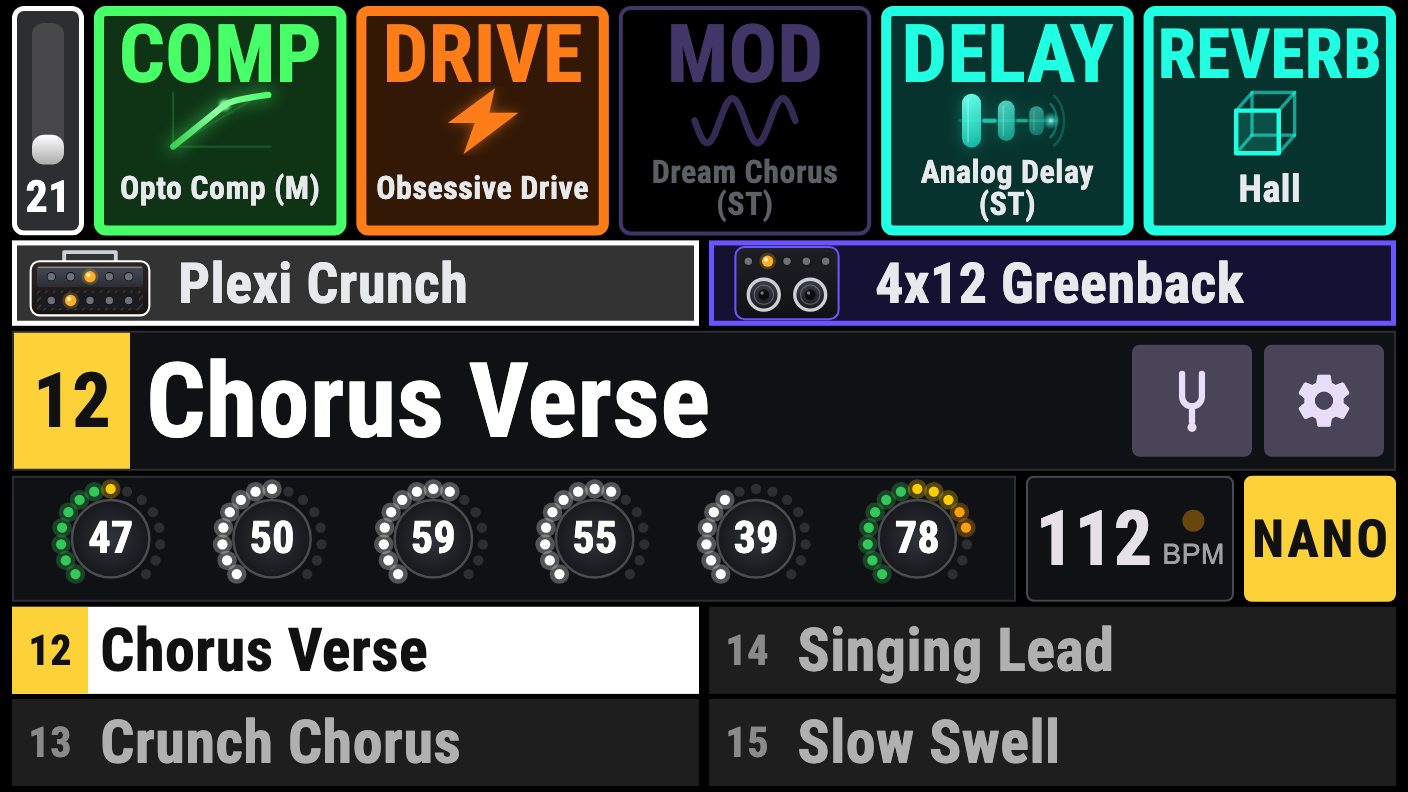
A whole song in one touch.
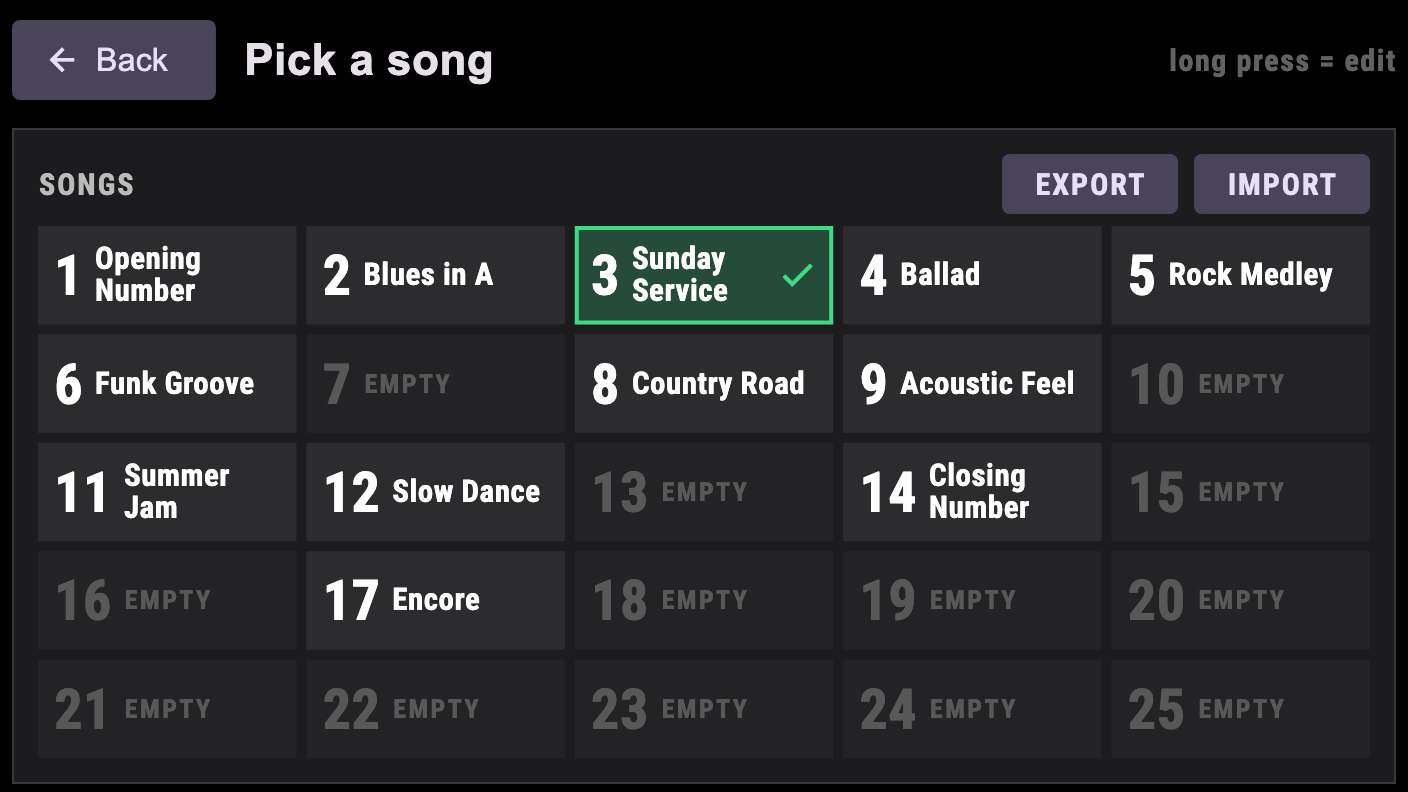
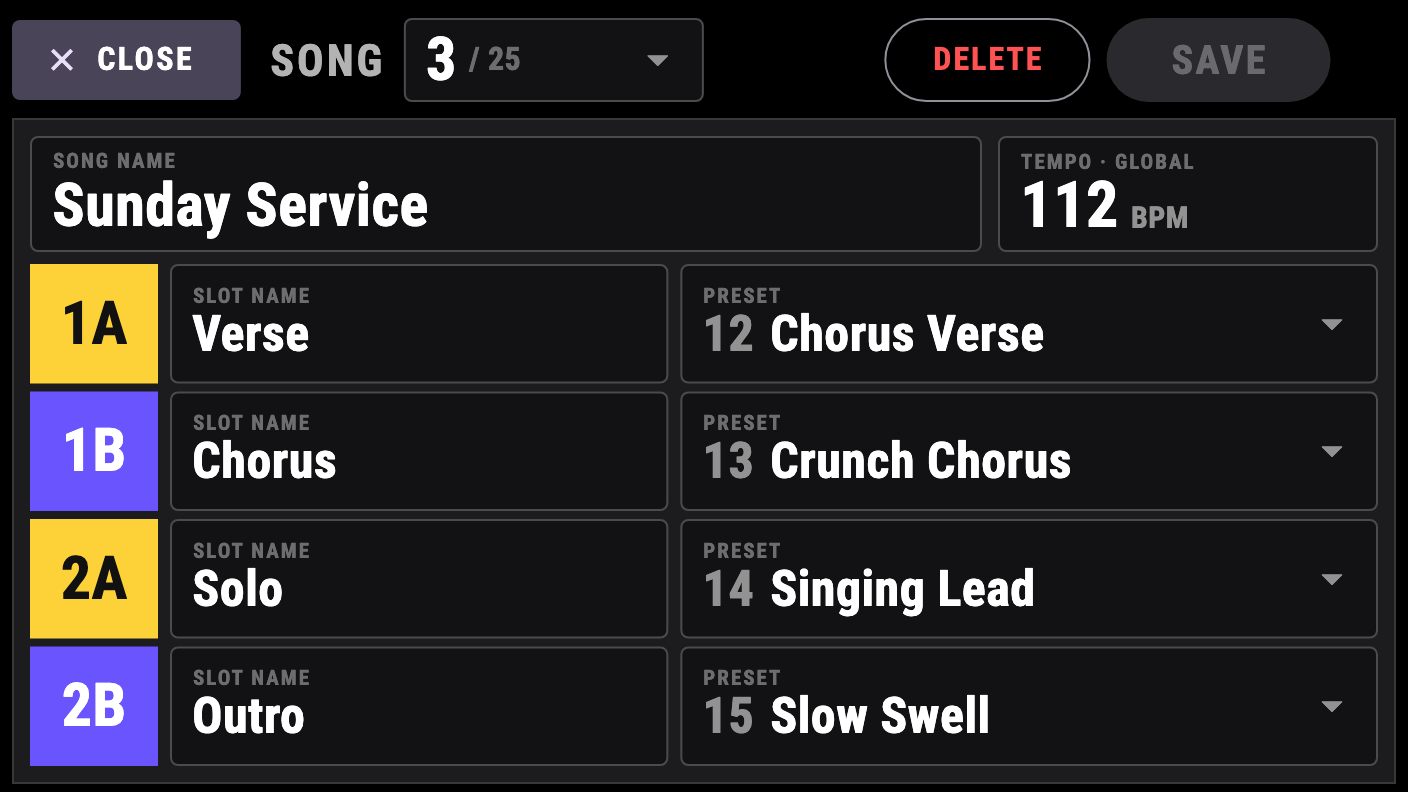
Name a song, set its tempo, choose four presets for 1A, 1B, 2A and 2B and give every slot a name of your own. Load the song and the stage is set: the four presets are on the footswitches, the first one is loaded and the tempo is in place.
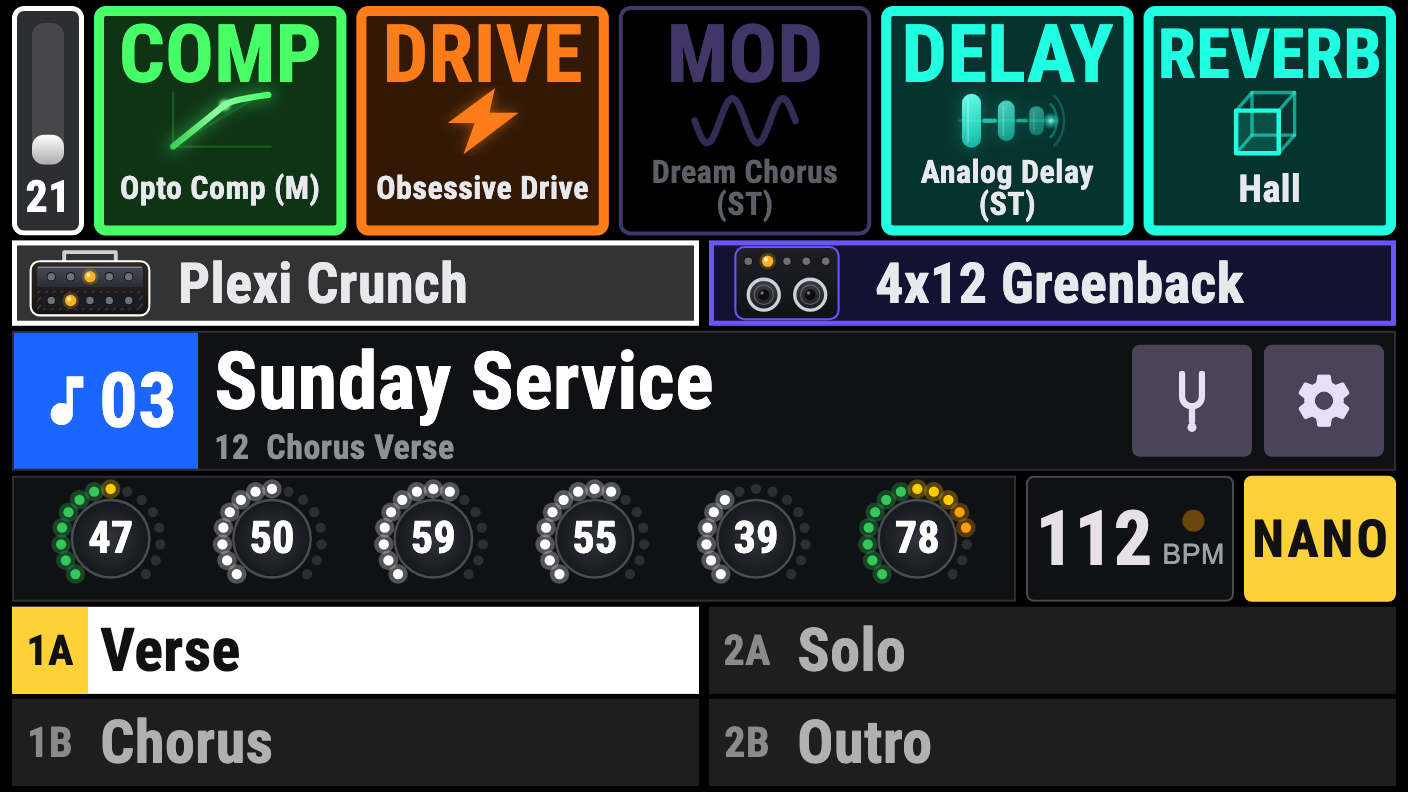
- Songs, not preset numbersThe footswitches say Verse, Chorus, Solo, Outro — the names you chose, in any language, even emoji.
- One swipe, one songSwipe, or press a foot-pedal button, and the next song loads: its four presets and its tempo together.
- The tempo comes with itEvery song carries its tempo and sets it for you. Prefer your own tempo? Switch it off in Options.
- Up to 25 songsKept on your device. Edit them in seconds: pick the presets from the list, type the names, save.
- Back up, move, shareExport your whole song list to a
.stajnanofile and import it on another phone or tablet. - Made for a foot pedalA Bluetooth MIDI foot pedal steps through your songs and presses the slots. See the MIDI reference.
Proven on stage with StajPilot
Song mode first proved itself in StajPilot, our stage controller for the Kemper Profiler. StajNano brings it to the Nano Cortex, made for it from the start.
Add an inexpensive foot controller — and the stage is set.
Connect a cheap Bluetooth MIDI foot controller, such as the M-VAVE Chocolate, to StajNano and your feet run the whole show. No cable to the Nano Cortex, no computer, nothing else to carry.
The smart switch: set it up once, use it in every mode
No complicated MIDI setup. Program two buttons of your foot controller, previous and next, and that is all. The very same two messages do the right thing in every mode, so you never reprogram the controller when you change mode:
| Mode | Previous (PC 70) | Next (PC 75) |
|---|---|---|
| Preset | previous preset | next preset |
| Bank | previous bank of four presets | next bank of four presets |
| Song | previous song, with its presets and tempo | next song, with its presets and tempo |
Choose the mode in Options, or leave it where it is: the same two buttons follow it. The MIDI reference has the exact numbers for the rest.
Our recommended live setup: everything from one Nano Cortex
One Nano Cortex, your phone or tablet and an M-VAVE Chocolate: that is the setup we recommend most for doing everything live. Four buttons, A to D. A short press picks a slot, and a long press on A and on D is the smart switch.
That is all a live set needs: A to D pick the four presets of the song, and a long press on A or D moves to the previous or next song, with its presets and tempo. Played like this, it gets you through a whole live show.
Previous / next song
One press loads the next or the previous song: its four presets and its tempo.
The four slots
Press 1A, 1B, 2A or 2B to load that preset, in any mode.
Tap tempo
Tap the tempo on your foot controller and the Nano Cortex follows.
Gate, effects, amp, cab
Switch any block on or off, or flip it, from your feet.
Setting it up takes a minute: Options → BT Pedal → On, pick your foot controller, set the channel. Every message is in the MIDI reference.
Made for playing live
One screen to play
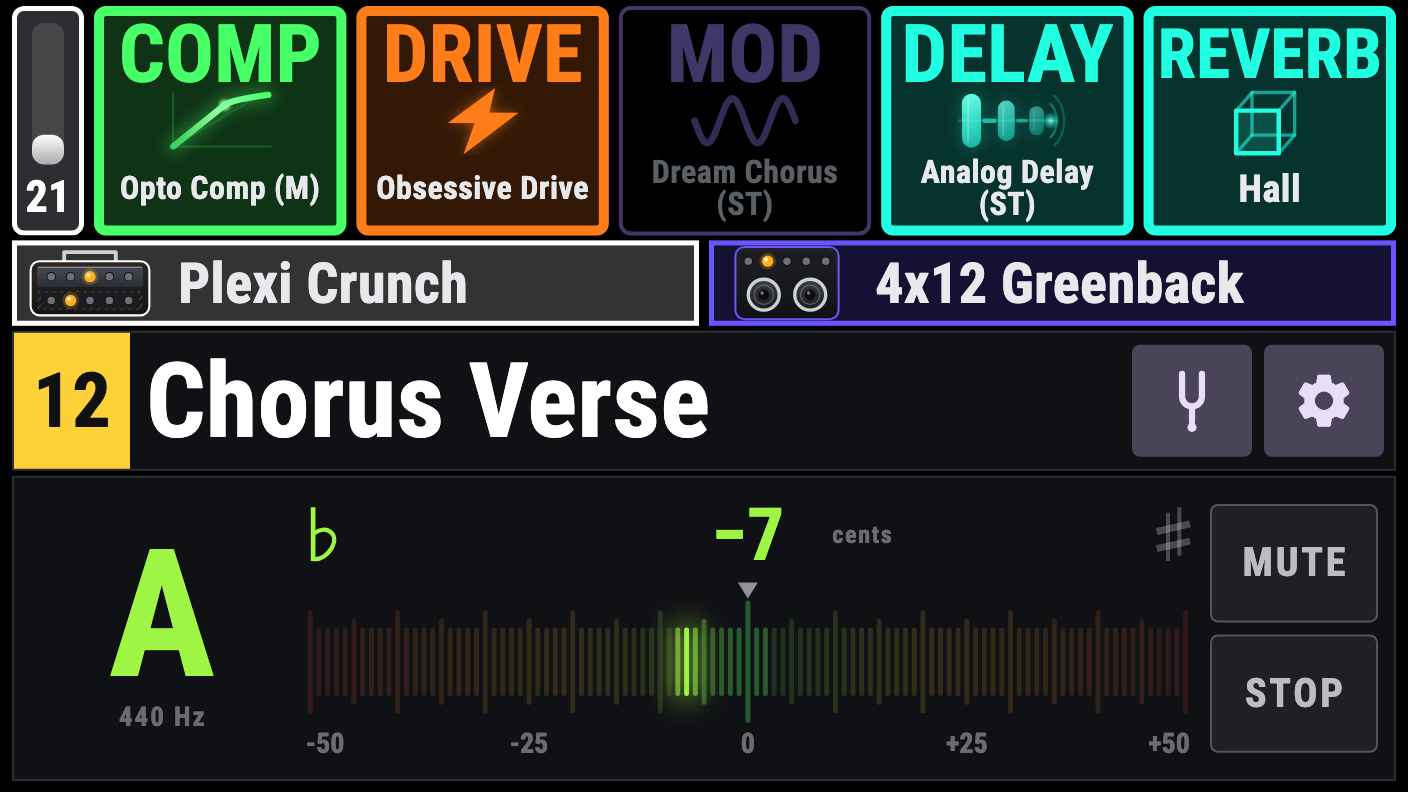
The gate, five effect slots, amp and cab, the preset name, six amp knobs, the tempo and the four footswitch slots. Tap to switch a block on or off, long-press to edit it. Changed something? The preset name turns amber: hold it for a second to save, and a small “Preset saved” tells you it is done. Colours and sizes are chosen to read on a dark stage.
Every parameter, one touch away
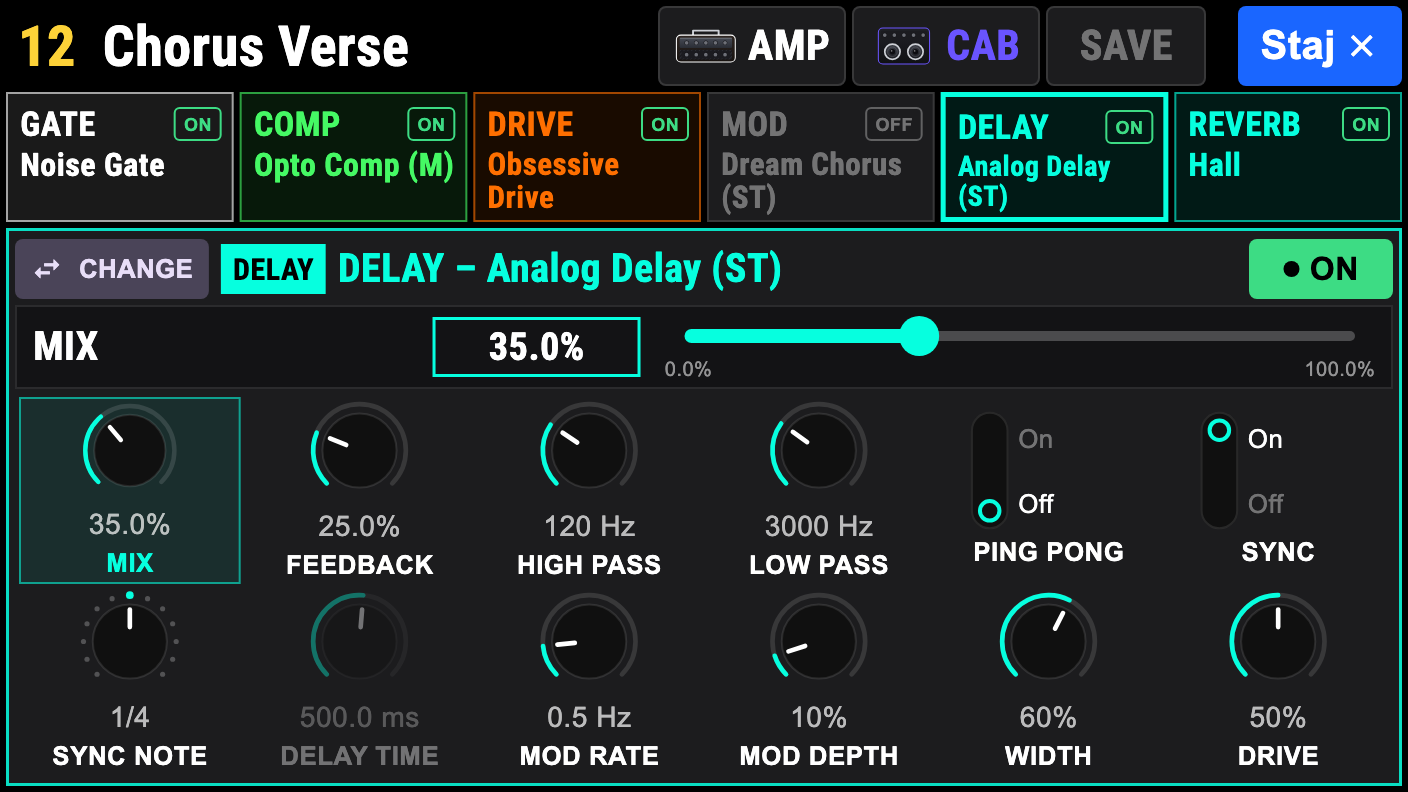
Open any block to change its model and turn every knob and switch, in the order and with the units you already know. A bar shows the value you are touching, with a slider for fine changes.
Three ways to move
Preset mode steps through presets. Bank mode puts four presets on the footswitches at once. Song mode loads a whole song: its four presets and its tempo. Swipe left or right below the effects to go to the next or previous one, or tap the number tile at the left of the name for the whole list of presets, banks or songs.
A tuner you can read from the stage
A big note, a scale with one LED for every cent, and a green glow when you are in tune. It fills the lower part of the control page, or the whole screen if you prefer.
Two buttons, every mode
One previous and one next message work in Preset, Bank and Song mode alike: the same MIDI setting, the right job. No complicated MIDI setup, and nothing to change when you change mode.
Bluetooth foot pedals
An inexpensive Bluetooth MIDI foot controller, such as the M-VAVE Chocolate, steps through your songs, presses the four slots, taps the tempo and switches the gate, effects, amp and cab. The MIDI reference lists every message.
Connects by itself
Register your pedal once. Next time StajNano finds it and connects without a tap, and it never connects to anybody else’s pedal by itself.
Nothing leaves your phone
No account, no ads, no analytics and no internet access. Your songs and settings stay on your device. Read the privacy policy.
Opening the lists, saving a preset
Tap the number tile at the left of the name bar to open the list of the mode you are in. Touching the name itself does nothing, so you cannot open a list by accident on stage.
Preset mode
The tile shows the preset number. Tap it to open the list of presets, then tap a preset to load it.
Long-press a footswitch slot at the bottom to set the preset it holds: the list opens, and the preset you tap goes onto that slot.
Bank mode
The tile shows the bank and the footswitch, for example 3-1B. Tap it to open the list of banks, then tap a bank to load it.
A long press on a footswitch slot does not set a preset here, because changing one slot would break the bank. It opens the bank list instead.
Song mode
The blue tile with a music note shows the song number. Tap it to open the song list, then tap a song to load it. Long-press a song in the list to edit it.
Long-press a footswitch slot to edit the song you are on: its name, tempo and presets.
Hold the name to save
When you change a preset, its name turns amber (yellow). Press and hold the name for one second to save it; a green “Preset saved” message confirms it. A white name means there is nothing to save.
If you saw our first videos
The small P, B and music-note icon and the SAVE button next to the name are gone. Open a list with the number tile, and save by holding the amber name.
The screens
Every page is designed once on a 16:9 canvas and scaled to your screen, so it looks the same on every phone and tablet and the text never follows the system font size.
Get the app
Android
Google Play, Android 7.0 or later, phones and tablets with Bluetooth Low Energy.
StajNano is an independent, unofficial app. It is not made, endorsed or supported by Neural DSP. Nano Cortex and Neural DSP are trademarks of Neural DSP Technologies; Kemper and Kemper Profiler are trademarks of Kemper GmbH. All other product names and trademarks belong to their owners. StajNano is provided “as is”, without warranty of any kind. We do not guarantee that it works correctly with every Nano Cortex unit or firmware version, and we are not responsible for any problem arising from its use.
Family apps
StajNano grew out of StajPilot. Same family, same idea: a stage controller you can read from across the room.