KEMPER PROFILER / iOS & Android
StajPilot
STAJ on stage. SONG for your set. PILOT for your sound.
StajPilot 2.0.5
Preparing for release
Wi-Fi connectivity for STAJ mode and an improved tuner on iOS and Android. Existing USB MIDI connectivity remains available. PILOT editing is not available in Wi-Fi mode.
Before using Wi-Fi
- Do not connect a USB cable to the KEMPER while using Wi-Fi mode.
- Connecting multiple devices to the KEMPER over Wi-Fi is not recommended. Use one device at a time.
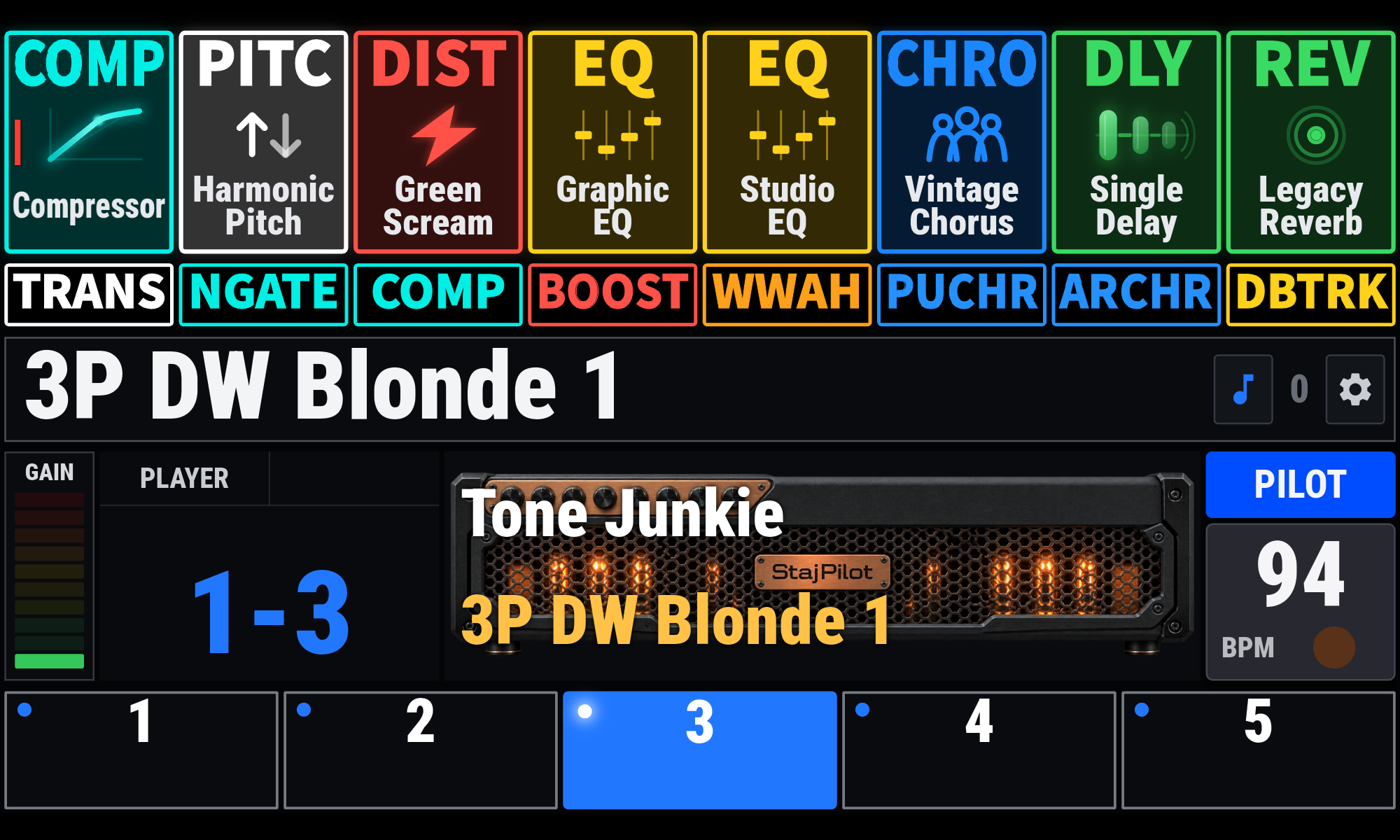
STAJ mode. Your live display.
Large effect blocks, clear on/off states, your current rig, bank and slot, and tempo, together on one screen.
See your sound at a glance
Color-coded effect blocks make their state easy to read. Keep the live rig name and your selected slot visible while you play. Available blocks and Fixed FX depend on your Profiler model.
Stay focused on the performance
Navigate banks and slots, control effects, and keep tuning within reach. Choose amp imagery and the information shown in the center display without changing your Profiler's saved rig names.
Your KEMPER PROFILER, on a screen you can see and touch. Control your performance, edit your sound, and tune your way on iPhone, iPad, and Android.
PLAYER · STAGE · HEAD / TOASTER · RACK · MK1 / MK2
Stage 2 launch special US$29.99 One purchase. No subscription. Free updates for existing purchasers.
Stage 2 is the StajPilot software release, not the KEMPER Stage MK2 hardware. Update availability and local prices can vary by store and country. Please check the version shown in your store.
SONG mode / Your set
Your songs, right in the amp box.
Set AMPBOX to SONG to show your saved song and slot names on the main screen. Song Mode works with Player banks and the Performance slots of the larger PROFILER models, while the original rig name stays visible above.
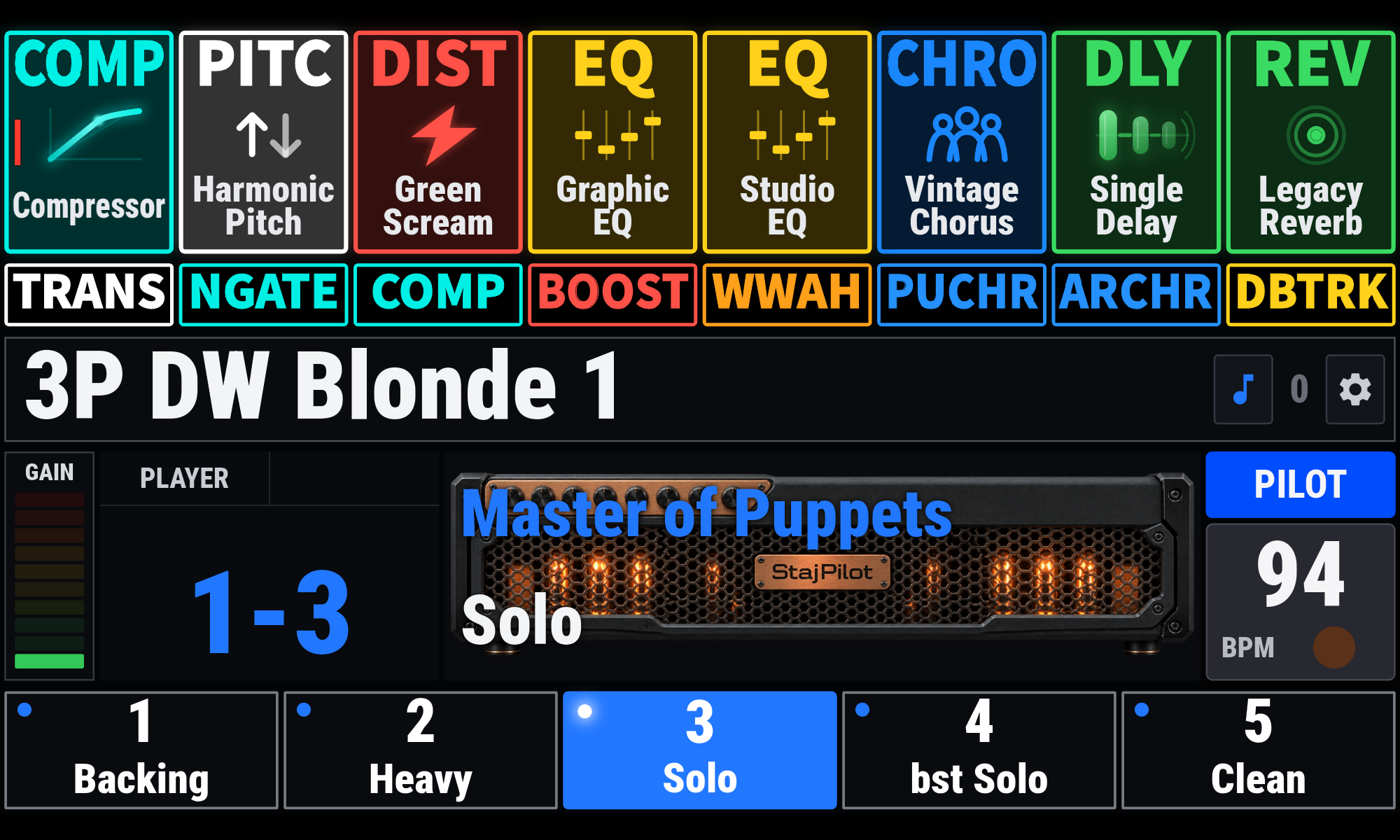
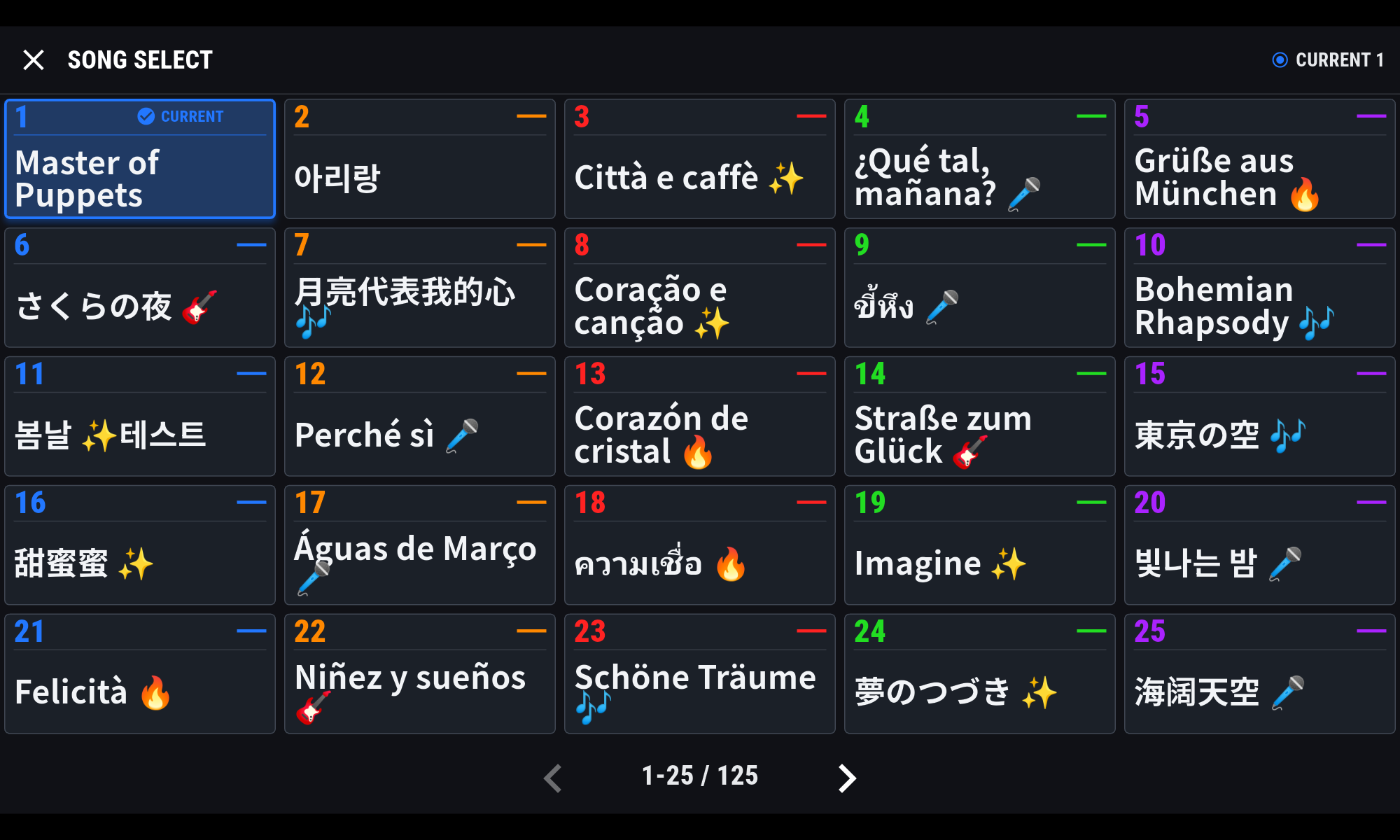
Select. Long-press. Edit.
Browse up to 125 songs, with 25 shown at a time. Long-press a song to edit it directly. Multilingual song and slot names are stored locally, without replacing your Profiler's original rig names.
Edit on your computer, too
The web Song Editor organizes song and slot names and amp-image assignments in your exported Song file. Export the result and import it back into the app.
Open the web Song EditorBack up and import Song data between editing sessions. Amp images will also be provided as gifts with periodic updates.
PILOT mode / Sound editing
Edit your sound, when you need to.
Go beyond the performance display. Select an effect, choose its type or preset, and adjust its parameters with knobs, switches, selectors, or precise numeric input.
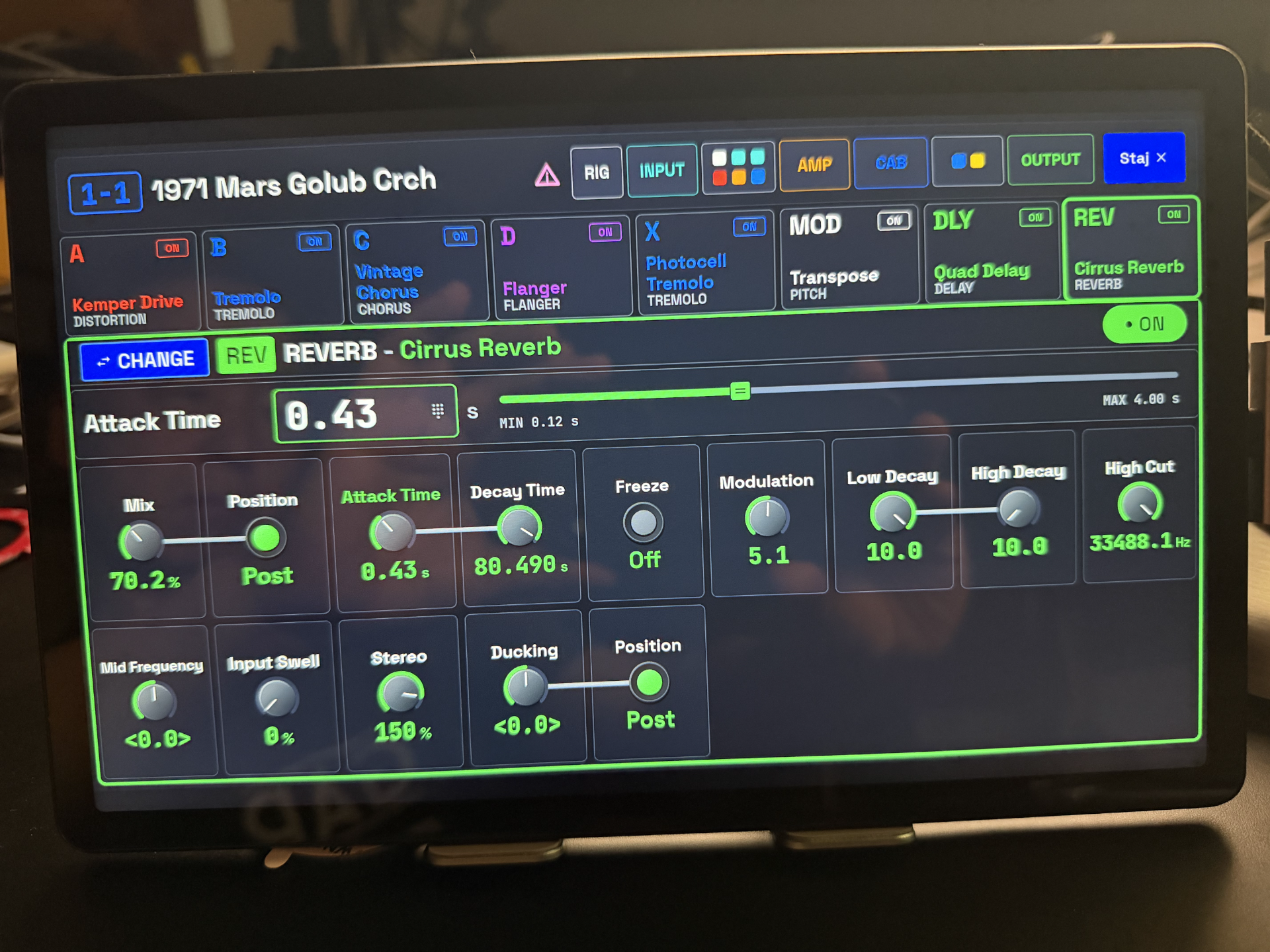
More than effect editing
Work with Effects, Rig, Input, Fixed FX, Amp, Cabinet, and Output. Available controls follow your Profiler model and, for Player, its Level.
Details within reach
Color-coded values, linked parameter groups, and a focused adjustment area keep complex effects readable. Use the Change selector to navigate effect families, types, and available presets.
PILOT mode is available with Player and supported MK1/MK2 Performance Mode setups. It is unavailable in Browser Mode.
SETTING / Make it yours
Match your Profiler. Choose your display.
Open the gear button on the STAJ screen. Start with the correct DEVICE and, for Player, the correct PLAYER LEVEL. These determine which model-specific displays and editing controls are available.
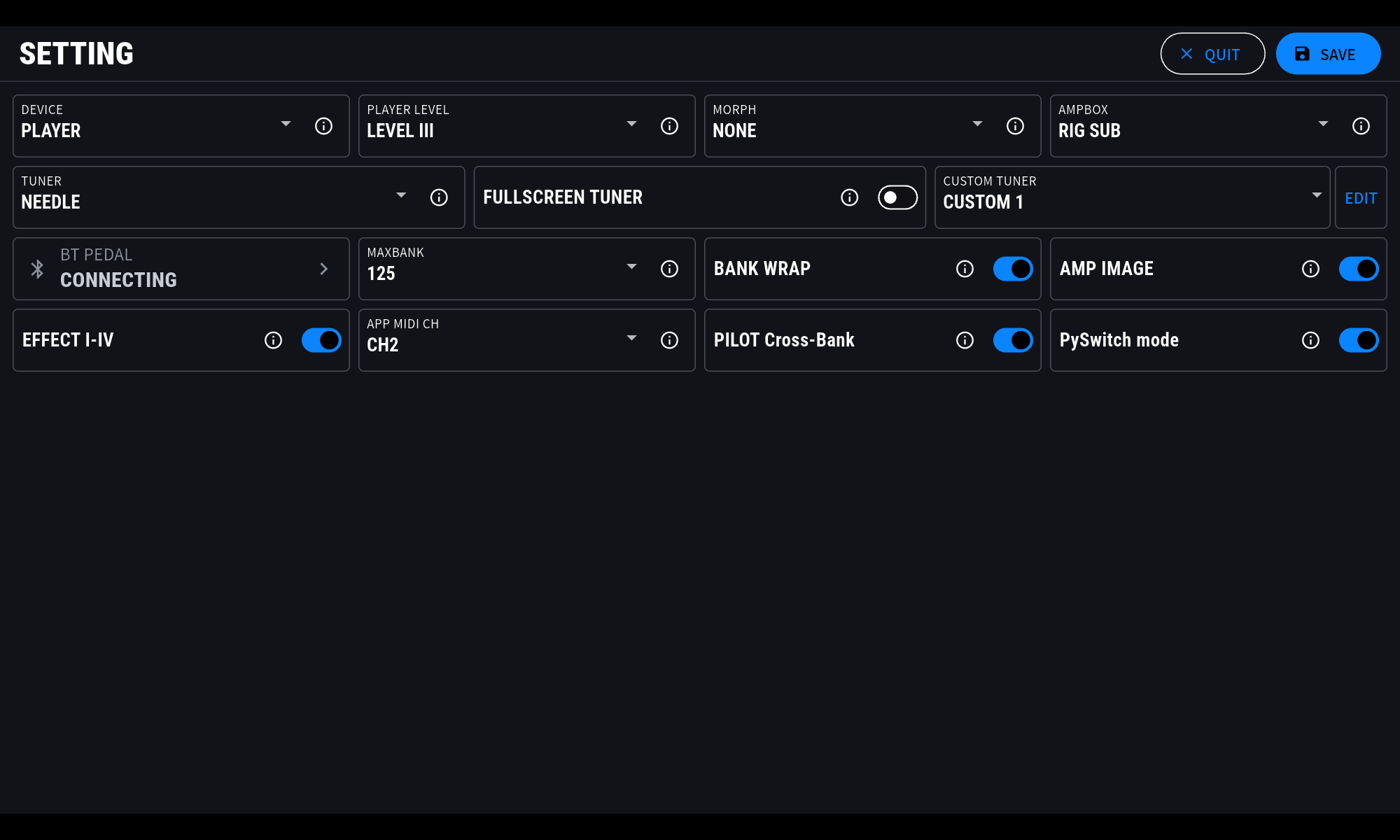
Profiler & display
- DEVICE / PLAYER LEVEL
- Choose Player, MK1, or MK2 and match the Player's actual upgrade Level. This does not upgrade or alter the Profiler itself.
- AMPBOX
- SONG shows your saved song and slot names. RIG SUB shows amp author and name. PERF shows Performance and slot names on MK1/MK2. NONE hides the center text. SONG and PERF are unavailable in Browser Mode.
- AMP IMAGE
- Show or hide the image assigned to a bank and slot. Hiding it does not delete the assignment.
- EFFECT I-IV
- Show MK1/MK2 effect-button assignments in Performance Mode. Player FX 1/2 assignments are separate.
Tuning
- TUNER
- Choose the needle or strobe display and the available cents precision. This changes the display, not the Profiler's reference pitch.
- FULLSCREEN TUNER
- Use the full display while Tuner Mode is active.
- CUSTOM TUNER / EDIT
- Choose Standard or one of three saved custom profiles. Edit each open string's offset, or long-press a custom profile name to rename it. Custom tuning applies to Needle mode.
Bank & slot navigation
- MAXBANK
- Limit app navigation and Song Select to banks 1 through your chosen maximum, up to 125. Songs above the limit are not deleted.
- BANK WRAP
- Continue between the first and last bank when enabled, or stop at the ends when disabled.
- PILOT Cross-Bank
- Allow PILOT swipes to continue from Slot 5 to the next bank's Slot 1, and back from Slot 1 to the previous bank's Slot 5. Off by default; Bank 1 and MAXBANK remain the outer limits.
Pedals & Morph
- BT PEDAL
- Connect a supported M-VAVE Chocolate Bluetooth MIDI pedal. The Profiler still connects through USB MIDI.
- APP MIDI CH
- Reserve CH2-CH16 for StajPilot pedal controls. Messages on that channel are handled by the app rather than forwarded to the Profiler; other channels continue to be forwarded.
- MORPH
- NONE avoids continuous Morph-position queries. SLOW, MED, and FAST request the position every 600, 400, or 200 ms respectively. Enable only when you need the live Morph display.
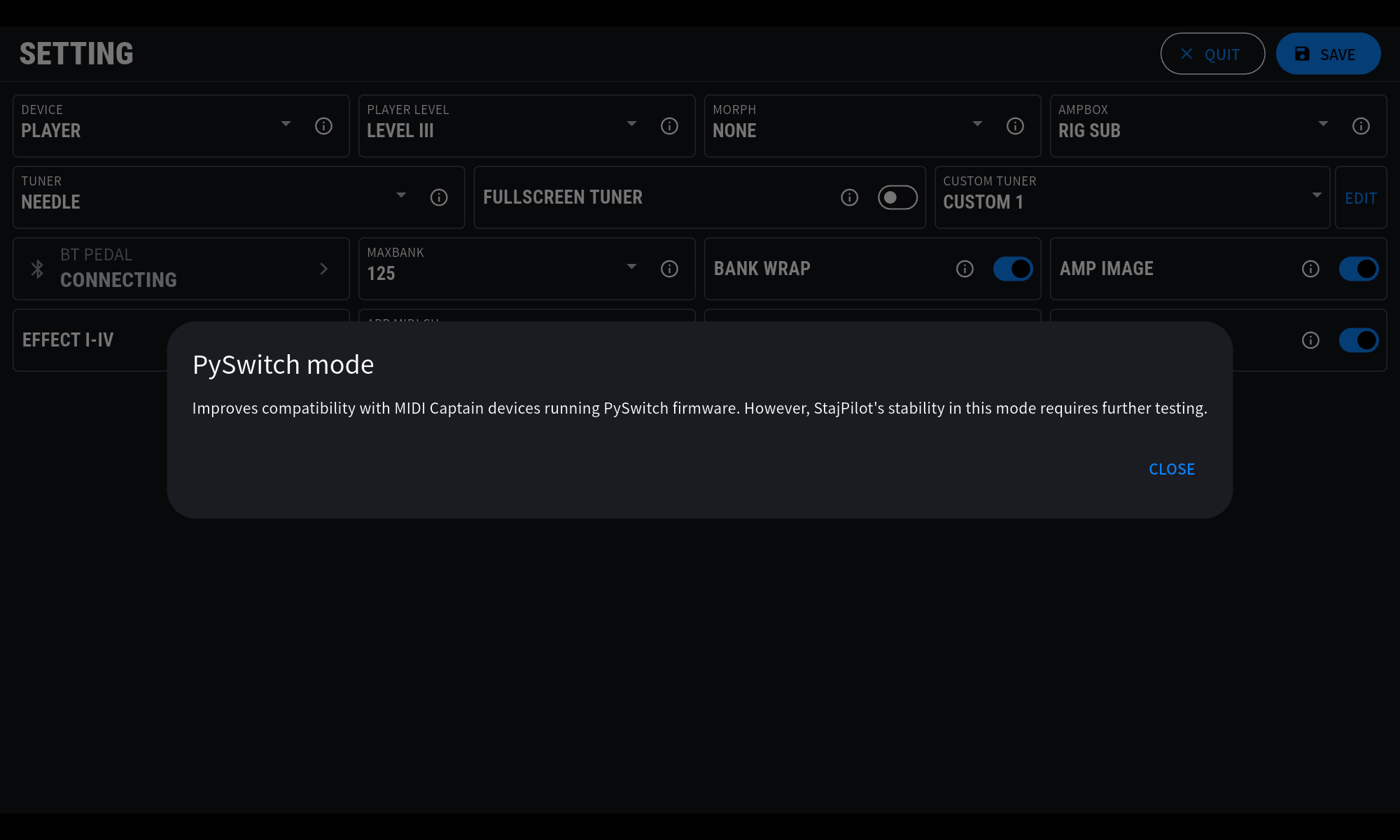
- PySwitch mode
- An optional compatibility mode for MIDI Captain devices running PySwitch firmware. StajPilot's stability in this mode requires further testing.
PySwitch mode: in-app compatibility notice
SAVE applies the app settings. QUIT closes without applying edits. Saving a sound edited in PILOT is different: press STORE on the KEMPER itself.
New in Stage 2
Custom Tuner. Your tuning reference.
Save three custom profiles and name them your way. Set an offset for each open string, E A D G B E, from -15.0 to +15.0 cents in 0.1-cent steps.
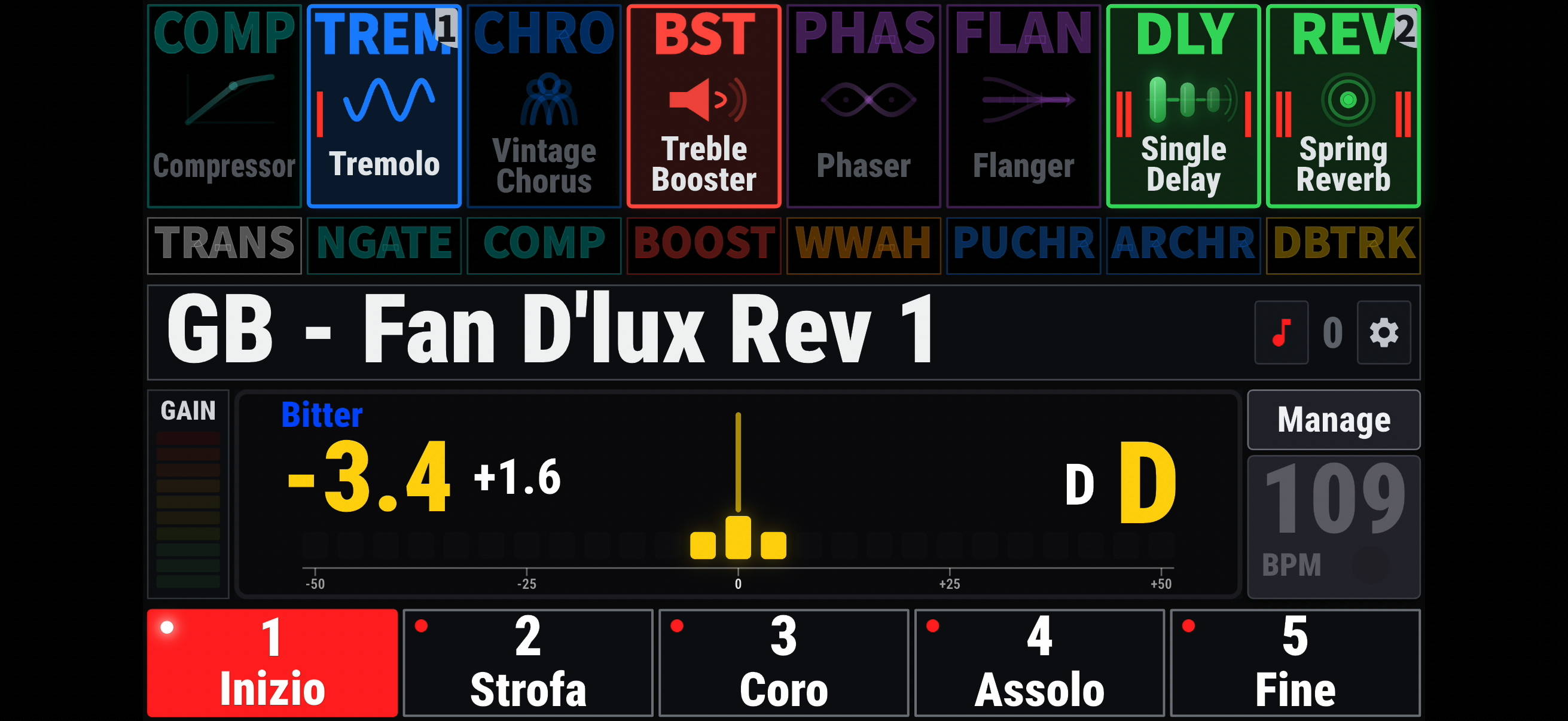
Custom tuning applies to Needle mode. Keep Standard tuning when you want it, choose the cents display precision, or use the full-screen tuner for a larger view. Strobe remains available for Standard tuning.
Watch the Custom Tuner demonstrationBefore you edit in PILOT mode
Please read before your first edit.
To keep your changes, press STORE on the KEMPER itself.
- Set your device first. Select the correct Player, MK1, or MK2 profile in Settings. Player users must also select the correct Level.
- Validation is ongoing. Extensive checks have been completed, but not every value has been fully verified. Some displayed values may still differ from the Profiler.
- Avoid editing from both places at once. PILOT combines incoming MIDI with targeted queries and polling to reduce unnecessary device load. It is not fully bidirectional; avoid adjusting the Profiler's own controls while editing in PILOT mode.
- Help us verify the details. If a value differs by more than 1%, or a control behaves incorrectly, email sk5054@hotmail.com with screenshots and a detailed explanation.
StajPilot communicates with the Profiler through USB MIDI. It does not intercept proprietary, non-MIDI communication protocols.
Choose your Profiler
Player
Navigate banks and rigs, use Song Mode, and edit in PILOT mode. Set your Player Level so available blocks, effects, and controls match your device.
Stage, Head (Toaster) & Rack
Select MK1 or MK2 in Settings. Use Performance names and five slots, Song Mode, and supported PILOT editing. Browser Mode provides rig navigation in STAJ mode; PILOT editing is disabled.
Physically tested with PROFILER Player LV3 and Stage MK1. MK2 mode is included but has not yet been tested on a physical MK2. Features vary by model and mode.
Connect your phone or tablet
External Bluetooth MIDI pedal support is currently limited to M-VAVE Chocolate on iOS and Android. This does not replace the USB MIDI connection to the Profiler.
No account, sign-in, subscription, or internet connection is required to use StajPilot. Connection options depend on your phone or tablet and the Profiler's USB ports; see the platform guides before connecting.
StajPilot is an independent third-party application and is not affiliated with or endorsed by Kemper GmbH.
Compatibility and proper operation with KEMPER PROFILER devices are not guaranteed.
Changes to device hardware, firmware, communication protocols, or operating systems may affect, limit, or discontinue some or all functionality.
Test your full setup before using it at an important event.
KEMPER and PROFILER are trademarks of Kemper GmbH. All other trademarks belong to their respective owners.
Continued updates and support for StajPilot are not guaranteed.
StajPilot은 독립적으로 개발된 서드파티 애플리케이션이며 Kemper GmbH와 제휴하거나 공식 승인을 받은 제품이 아닙니다. KEMPER PROFILER 기기와의 호환성 및 정상 작동은 보증되지 않습니다. 장치의 하드웨어, 펌웨어, 통신 프로토콜 또는 운영체제 변경에 따라 일부 또는 전체 기능이 제한되거나 중단될 수 있습니다. 중요한 행사 전에 전체 연결 구성을 충분히 테스트해 주세요. KEMPER와 PROFILER는 Kemper GmbH의 상표이며, 기타 모든 상표는 각 권리자에게 귀속됩니다. StajPilot의 지속적인 업데이트와 지원 또한 보장되지 않습니다.